
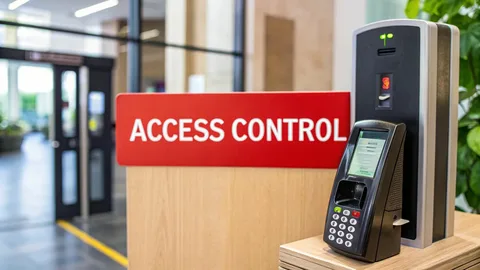
Access Control Security in Bowie, MD complete guide
Learn about access control security in Bowie, MD, including commercial installation, entry methods, system features, maintenance, and practical security tips.
Controlling who can enter a commercial property is an important part of managing everyday security. Keys can be lost or copied, while shared access codes can make it difficult to know who entered a building and when.
Modern Stay Alert Security Services systems give businesses more control over entry points by using credentials such as key cards, PINs, mobile devices, or biometric readers. These systems can also help businesses manage employee access without replacing physical locks every time someone leaves the organization.
For businesses in Bowie, MD, the right system depends on the property layout, number of users, operating hours, and the level of control needed.
What Is Access Control Security?
Access control security refers to systems that regulate access to specific buildings, rooms, gates, or other restricted areas.
Instead of giving everyone a traditional key, businesses can assign individual credentials. Administrators can then determine which doors a person can access and, in some systems, when that access is permitted.
A basic system may include:
- Electronic locks
- Card or key-fob readers
- Keypads
- Access cards
- Mobile credentials
- Door position sensors
- Request-to-exit devices
- Management software
- Access control panels
The system can range from a simple single-door setup to a larger network covering multiple entrances and interior areas.
Why Businesses Use Electronic Access Systems
A controlled entry system can make it easier to manage employees, contractors, visitors, and restricted areas.
For example, a business may allow general employees to enter the main office but limit access to storage rooms, server rooms, records areas, or management offices.
Access control security in Bowie, MD permissions can also change as business needs change. When an employee leaves, administrators can remove their credentials without collecting and replacing a physical key.
Other potential advantages include:
- Individual user credentials
- Easier access changes
- Reduced dependence on traditional keys
- Entry activity records on supported systems
- Different access levels
- Better control of restricted areas
- Integration with other security systems
Commercial Access Control Installation
Commercial access control installation should begin with an assessment of the property rather than simply selecting a reader or electronic lock.
The installer needs to consider door types, existing locks, electrical requirements, network connectivity, emergency exits, and the areas that require restricted access.
A business should also decide how administrators will manage users. Some systems use local control panels, while others provide centralized or cloud-based management.
Planning Access Control Security for Your Property
Before installation, identify:
- Which doors require controlled access?
- Who needs access to each area?
- Should access vary by employee or department?
- Are there specific operating hours?
- Does the property have multiple buildings?
- Will visitors need temporary credentials?
- What happens if a credential is lost?
- How should emergency exits operate?
Answering these questions helps create a system that matches actual business operations instead of adding unnecessary features.
Common Types of Access Control
Different businesses may benefit from different credential types.
Key Cards and Fobs
Cards and fobs provide a simple way to assign individual access. If one is lost, administrators can typically deactivate that credential without changing every user’s access.
Keypad Systems
Keypads require users to enter a PIN. They can work well for certain doors but require careful management of codes. Shared PINs can reduce accountability because multiple people may use the same credential.
Mobile Access
Some modern systems allow authorized users to use smartphones as credentials. This can reduce the need for physical cards but depends on compatible hardware, software, and user devices.
Biometric Access
Biometric systems may use fingerprints or other physical characteristics to verify identity. These systems can provide strong identity-based access but may require more specialized equipment and privacy considerations.
Access Control Solutions Near Me: What to Compare
When researching access control solutions near me in Salisbury, MD , businesses should compare the system’s capabilities rather than focusing only on the hardware.
Consider:
- Number of doors supported
- Number of users
- Credential types
- Remote management
- Activity reporting
- Integration with cameras
- Visitor management
- Emergency operation
- System expansion
- Maintenance requirements
A small office may only need one or two controlled doors, while a larger facility may require centralized management across several access points.
Common Mistakes to Avoid
Giving Everyone the Same Credential
Shared cards or PINs make it harder to determine who accessed a restricted area. Individual credentials provide better accountability on systems that record user activity.
Ignoring Employee Changes
Access permissions should be updated when employees change departments, leave the company, or no longer need access to certain areas.
Forgetting Emergency Access
Security should not interfere with safe evacuation. Access control planning must account for emergency exits, fire safety requirements, and applicable building codes.
Installing Without Considering Future Expansion
A system that works for two doors today may become difficult to manage if the business expands. Consider future doors, users, buildings, and integration needs before installation.
Neglecting Maintenance
Electronic locks, readers, sensors, power supplies, and software all require attention. Regular testing can help identify problems before they affect daily operations.
Best Practices for Access Control
Create a clear access policy that explains who receives credentials and which areas they can enter.
Use individual credentials whenever practical. Review permissions periodically and remove inactive users promptly.
Test doors, readers, locks, exit devices, and backup power systems according to the equipment manufacturer’s recommendations.
Keep system administrators limited to authorized personnel. Strong administrative controls help prevent unauthorized changes to access permissions.
It is also useful to maintain a record of system components, door locations, credentials, and maintenance activities.
Actionable Tips for Bowie Businesses
Before installing or upgrading an access control system:
- Walk through the property and identify restricted areas.
- List employees and access requirements.
- Identify doors that need electronic control.
- Review emergency exit requirements.
- Decide whether visitors need temporary access.
- Ask about system expansion options.
- Compare credential types.
- Request a clear installation scope.
- Establish a process for lost credentials.
- Schedule regular system testing.
Conclusion
Effective Commercial access control installation gives businesses greater control over who can enter specific areas and how access permissions are managed. In Bowie, MD, businesses should consider their building layout, number of users, restricted areas, operating schedules, and future expansion needs before selecting a system.
A well-planned system combines appropriate hardware, clear access policies, regular maintenance, and responsible credential management. Comparing these factors can help businesses choose an access control setup that fits their daily operations without adding unnecessary complexity.
FAQ
1. What is access control security?
Access control security uses electronic systems to regulate who can enter specific doors, rooms, buildings, or other restricted areas.
2. What does commercial access control installation include?
Installation may include electronic locks, readers, access control panels, credentials, sensors, wiring, software, and system configuration, depending on the property.
3. Are access control systems better than traditional keys?
They offer different capabilities. Electronic systems can provide individual credentials and easier permission changes, while traditional keys may work for simpler security needs.
4. Can access permissions be changed when an employee leaves?
Yes. Most electronic systems allow administrators to deactivate or modify a user’s credential without changing access for everyone else.
5. How often should an access control system be checked?
Businesses should test and maintain systems according to manufacturer guidance and their operational needs. Regular checks can help identify failed readers, locks, sensors, or power components early.